
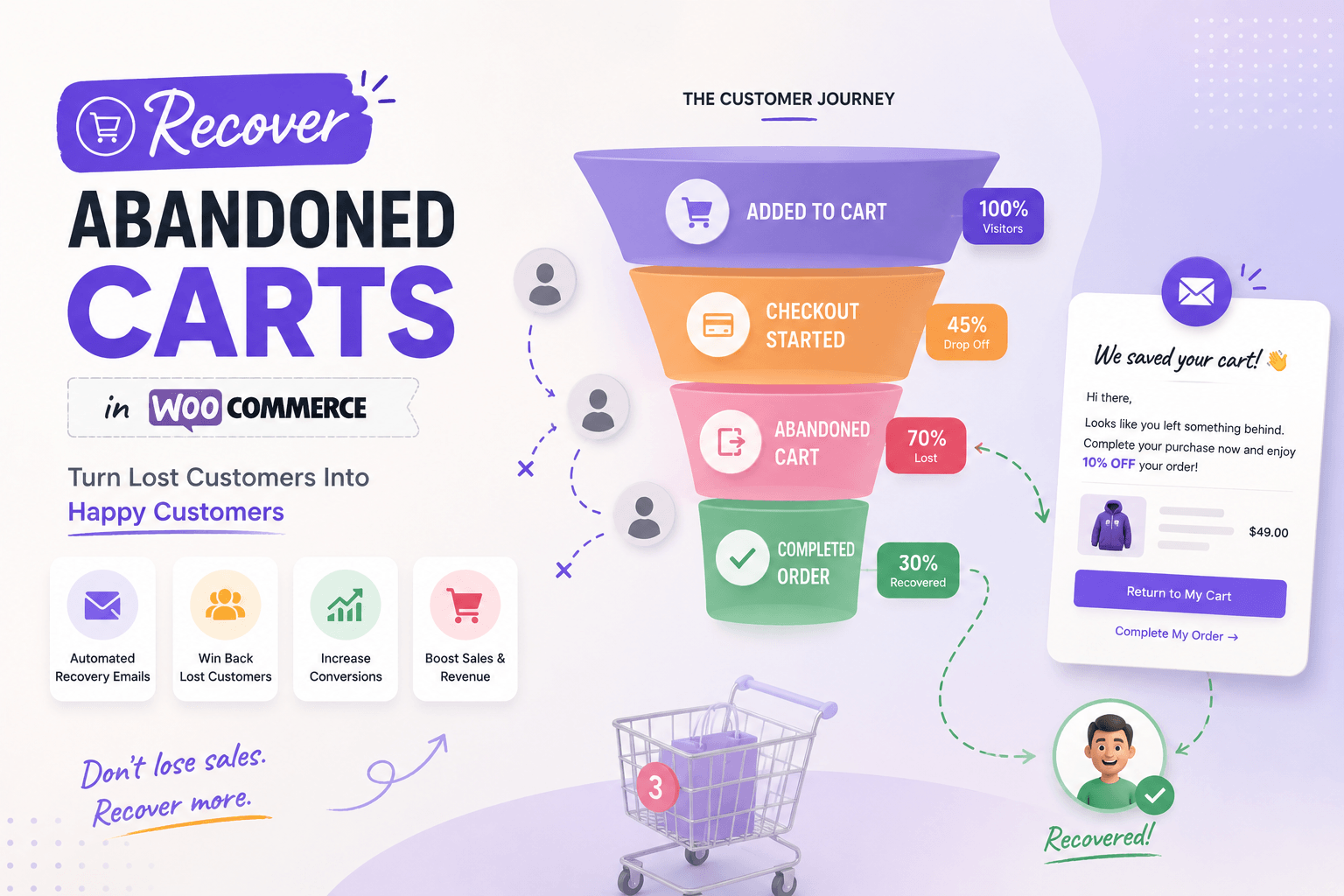
Learning how to recover abandoned carts in WooCommerce starts with understanding why interested customers leave before completing their orders.
Some shoppers become distracted. Others compare prices, wait until payday, encounter unexpected shipping costs, struggle with checkout, or discover that their preferred payment method is unavailable.
A recovery email may bring some of them back. But email alone will not fix an unclear product page, a broken payment gateway, or a frustrating checkout experience.
An effective WooCommerce abandoned-cart recovery strategy combines reliable cart tracking, a low-friction purchasing experience, well-timed follow-up messages, and a simple way to restore and complete the order.
This guide explains how to build that process without overwhelming customers or treating every abandoned cart as a guaranteed sale.
Table of Contents
- What is an abandoned cart in WooCommerce?
- Why customers abandon their carts
- Can WooCommerce recover abandoned carts by default?
- Step 1: Decide when a cart becomes abandoned
- Step 2: Capture enough information to follow up
- Step 3: Fix cart and checkout problems first
- Step 4: Create an abandoned-cart email sequence
- Step 5: Make it easy to restore the cart
- Step 6: Use discounts carefully
- Step 7: Stop emails after purchase
- Step 8: Respect consent, privacy, and data retention
- Step 9: Measure recovered orders properly
- Manual recovery vs automated recovery
- What to look for in a WooCommerce cart recovery plugin
- Where CartLane fits
- Common abandoned-cart recovery mistakes
- A practical WooCommerce recovery workflow
- How to improve recovery without sending more emails
- Final thoughts
- Frequently asked questions
What Is an Abandoned Cart in WooCommerce?
An abandoned cart occurs when a shopper adds one or more products to their cart but leaves without completing the order.
However, a cart should not become “abandoned” the moment someone closes a page. A customer may still be reading product information, comparing several items, looking for a coupon, checking shipping details, switching devices, waiting before deciding, or planning to return later.
For that reason, cart recovery systems normally use a waiting period before changing a cart’s status to abandoned. The correct waiting period depends on the store, the product, and the typical buying cycle.
A low-cost impulse purchase may justify a shorter delay. A high-value or complex product may require more consideration.
Why Do WooCommerce Customers Abandon Their Carts?
Customers abandon carts for many reasons, and not all of them can be solved with a reminder.
- Unexpected shipping or tax charges
- Forced account creation
- A long or confusing checkout
- Missing payment options
- Payment failure
- Slow mobile performance
- A coupon that does not work
- Unclear return or refund policies
- Delivery dates that are not visible
- Lack of trust
- Product comparison
- Distraction or interruption
- No immediate intention to purchase
The reason matters because it determines the correct response. A customer who became distracted may only need a reminder. Someone who encountered a payment error needs technical help. A customer surprised by shipping costs needs better pricing transparency.
Before automating recovery emails, test the entire purchase journey yourself. When your store receives visitors but very few orders, use our guide to diagnosing WooCommerce traffic but no sales before increasing your advertising budget.
Can WooCommerce Recover Abandoned Carts by Default?
WooCommerce provides the cart and checkout foundation, but a dedicated abandoned-cart workflow generally requires an extension, plugin, marketing platform, or custom implementation.
A recovery solution usually needs to handle:
- Cart activity tracking
- Customer identification
- Abandonment timing
- Reminder scheduling
- Email templates
- Cart restoration links
- Recovered-order detection
- Reporting
- Consent and data controls
The exact capabilities vary between plugins. Verify current documentation, compatibility, and data-handling behaviour before choosing one.
Step 1: Decide When a Cart Becomes Abandoned
The first step in WooCommerce abandoned cart recovery is defining the inactivity period.
If you classify a cart too quickly, you may email someone who is still actively shopping. If you wait too long, the customer may lose interest or buy elsewhere.
There is no universal timing that works for every store. Consider:
- Product price
- Typical purchasing cycle
- Average session duration
- Whether products require research
- Whether customers often switch devices
- Shipping complexity
- Whether the product is physical or digital
- How quickly stock or availability changes
A practical starting workflow might classify a cart as abandoned after a reasonable period of inactivity and send the first reminder later. The precise timing should be based on your store data rather than copied blindly from another business.
Avoid immediate reminders
Sending an email a few minutes after someone leaves can feel intrusive, particularly when the customer did not knowingly provide details for marketing follow-up. Give the customer enough time to return naturally before starting the recovery sequence.
Step 2: Capture Enough Information to Follow Up
A recovery workflow cannot contact an anonymous visitor unless it has enough information to identify them.
Logged-in customers are easier to associate with a cart. Guest customers usually need to enter an email address before follow-up becomes possible.
Depending on the implementation, a recovery system may capture information when the customer:
- Logs into an account
- Enters an email address during checkout
- Submits a lead or checkout form
- Previously created an account
- Explicitly opts into relevant communication
Only collect information that is genuinely needed. Your implementation should explain how customer information is used, stored, and removed.
Privacy, consent, and direct-marketing requirements vary by location and business model. Review the rules that apply to your store rather than treating plugin settings as legal compliance by themselves.
Step 3: Fix Cart and Checkout Problems First
Recovery automation should support a working checkout, not compensate for a broken one.
Before sending emails, complete several test purchases:
- Add products to the cart.
- Update quantities.
- Remove products.
- Apply coupons.
- Calculate shipping.
- Enter customer information.
- Select payment methods.
- Complete payment.
- Confirm that the order email arrives.
- Return through a restored-cart link.
Review the experience on both desktop and mobile. Official WooCommerce Cart block documentation explains the standard cart controls, while the WooCommerce Checkout block documentation covers the block-based checkout experience.
Problems to fix before starting recovery emails
- Cart contents disappear unexpectedly.
- Product variations are missing.
- Shipping costs appear too late.
- Checkout contains unnecessary fields.
- Guest checkout is unavailable without a clear reason.
- Payment methods fail to load.
- Validation messages are unclear.
- The Place Order button is difficult to find.
- Checkout is slow.
- Recovery links do not restore the correct products.
If the original problem remains, customers may click the recovery email and abandon the order again.
Step 4: Create an Abandoned-Cart Email Sequence
A useful sequence of WooCommerce abandoned cart emails does not need many messages. In most cases, a small number of relevant reminders is better than a long, aggressive campaign.
Each message should have a clear purpose.
First reminder: Help the customer continue
The first email should feel like assistance, not a sales campaign. Its purpose is to remind the customer that the purchase was not completed and provide an easy way to continue.
- A clear subject line
- The customer’s cart items
- A direct return-to-cart button
- A short support message
- Accurate availability information
- Your store identity
- A way to manage communication preferences where required
Possible subject lines include:
- You left something in your cart
- Ready to complete your order?
- Your cart is still available
- Need help completing your purchase?
You left a few items in your cart. Your selection is still available if you would like to continue. If something prevented you from checking out, reply to this email and let us know.
Avoid creating false urgency. Do not claim that stock is about to disappear unless that is factually true.
Second reminder: Answer likely objections
A second email can address uncertainty that may have prevented the purchase. Depending on the store, it might clarify shipping time, refund conditions, product compatibility, support, licensing, payment methods, setup, or common questions.
The second reminder should provide new information rather than repeat the first message with a different subject line.
Final reminder: Close the sequence respectfully
The last message should clearly indicate that it is the final reminder in the sequence. Keep it brief.
This is the final reminder about the items saved in your cart. You can return to your cart below, or contact us if you need help before ordering.
A final reminder does not always need a discount. Sometimes clarity and support are enough.
Step 5: Make It Easy to Restore the Cart
The recovery link is one of the most important parts of the workflow. When customers click it, they should not need to search for the products again or rebuild the cart manually.
A good restoration process should:
- Restore the relevant products.
- Preserve variations where possible.
- Restore appropriate quantities.
- Show current prices.
- Recalculate tax and shipping.
- Handle unavailable products clearly.
- Take the customer to a useful cart or checkout page.
- Work on mobile.
- Avoid unnecessary login requirements.
Cart contents may change between abandonment and recovery. A product may become unavailable, its price may change, or the customer may adjust quantities before completing the order.
The restored cart therefore needs to reflect the store’s current data rather than promise that every previous condition remains unchanged.
Looking for a WooCommerce-native recovery workflow?
CartLane may be worth evaluating if you want side-cart, checkout, order-bump, and abandoned-cart recovery tools inside one connected WooCommerce workflow.
Step 6: Use Discounts Carefully
Discounts can encourage some customers to return, but they should not become the default response to every abandoned cart.
Automatic discounts can create several problems:
- Customers learn to wait for a coupon.
- Profit margins shrink.
- Full-price buyers may feel disadvantaged.
- The underlying checkout issue remains unresolved.
- Customers receive discounts even when they intended to return anyway.
- Coupon rules become difficult to manage.
Before offering a discount, ask why the customer abandoned the cart. If the problem was a failed payment method, a coupon will not fix it. If the problem was unclear shipping, explain shipping first.
When a discount may make sense
- The customer has not responded to earlier reminders.
- The product margin supports the offer.
- The campaign targets a defined segment.
- The coupon has clear restrictions.
- The discount does not conflict with other promotions.
- The store can measure whether the incentive creates profitable orders.
Step 7: Stop Emails After the Customer Purchases
A customer should not continue receiving abandoned-cart reminders after completing an order.
This can fail when the customer uses another email address, purchases on another device, a webhook fails, an order status is not updated correctly, or a scheduled message is not cancelled.
Your recovery system should detect completed purchases, mark the cart as recovered, and stop the remaining sequence. Test this behaviour before enabling campaigns for all customers.
Also decide what should happen when an order is pending, on hold, failed, cancelled, or refunded. A pending payment may require a different workflow from a genuinely abandoned cart.
Step 8: Respect Consent, Privacy, and Data Retention
Abandoned-cart recovery involves customer and behavioural data.
Depending on the implementation, you may store:
- Email addresses
- Names
- Cart contents
- Product preferences
- Order values
- Session identifiers
- IP or device information
- Message activity
- Recovery status
Do not retain this information indefinitely without a clear reason. Your process should define what information is collected, why it is collected, how long it is retained, who can access it, how customers can opt out, and what happens when the data is no longer required.
The correct setup depends on your jurisdiction, customer locations, and communication method. A plugin can provide settings, but it cannot decide your business’s legal obligations.
Step 9: Measure Recovered Orders Properly
Do not judge an abandoned-cart campaign only by email opens. Open tracking can be incomplete or misleading.
Track:
- Number of eligible abandoned carts
- Number of identified customers
- Emails delivered
- Links clicked
- Restored carts
- Recovered orders
- Recovered revenue
- Discount cost
- Unsubscribes
- Complaints
- Failed emails
- Time from abandonment to purchase
Not every purchase after an email was necessarily caused by the email. Attribution should be treated as an estimate rather than unquestionable proof.
Calculate a basic recovery rate
A simple calculation is:
Recovered carts ÷ eligible abandoned carts × 100
For example, if 20 of 400 eligible abandoned carts become completed orders, the recovery rate is 5%. That number is only useful when your definition of “eligible,” “abandoned,” and “recovered” remains consistent.
Manual Recovery vs Automated Recovery
Small stores may initially review abandoned activity and contact selected customers manually.
Manual follow-up can work when order volume is low, products are expensive, customers expect personal support, each sale requires consultation, or the store is still learning why shoppers leave.
Automation is more suitable when abandoned carts occur regularly, the same follow-up process applies to many customers, timing needs to remain consistent, staff cannot monitor carts every day, or results need to be tracked.
The best approach may combine both. Automation can handle standard reminders, while staff personally follow up on high-value carts or customers who report a problem.
What to Look for in a WooCommerce Cart Recovery Plugin
Do not choose a WooCommerce cart recovery plugin based only on the number of features. Evaluate whether it fits the store’s actual workflow.
Cart tracking
- Guest and logged-in customer support
- Configurable abandonment timing
- Clear cart status
- Cart value and product details
- Appropriate data collection
Recovery workflow
- Multiple reminder steps
- Flexible scheduling
- Editable email content
- Cart restoration
- Purchase detection
- Automatic sequence cancellation
Store compatibility
- Current WooCommerce support
- Cart and Checkout block compatibility
- Theme compatibility
- Payment integration compatibility
- Multilingual or multicurrency requirements
- HPOS compatibility where relevant
Privacy controls
- Retention settings
- Deletion controls
- Consent integration
- Opt-out handling
- Clear data access
Reporting and maintenance
- Abandoned and recovered carts
- Recovered orders and revenue attribution
- Email status
- Campaign-level performance
- Reasonable database usage
- Reliable scheduled tasks
- Clear logs
- Active maintenance and documentation
Installing several overlapping cart, checkout, email, and recovery plugins can make troubleshooting more difficult. Our review of heavy WooCommerce plugins explains why a smaller, focused stack is often easier to maintain.
Where CartLane Fits
CartLane is a WooCommerce conversion toolkit designed to connect several stages of the buying journey, including side-cart usability, checkout customization, order bumps, and abandoned-cart recovery. This connected approach may suit stores that want to manage cart and recovery workflows without assembling several overlapping plugins.
This workflow may be relevant when abandonment is not caused by one isolated issue:
- A side cart can make cart review more immediate.
- Checkout controls can reduce unnecessary friction.
- Recovery functionality can follow up after an eligible cart is abandoned.
- Order bumps can support relevant additional offers without requiring a separate workflow.
CartLane is also available through its official WordPress.org listing, where you can review the current plugin description and download the free version.
However, CartLane does not automatically solve every conversion problem. It may not be the right answer when traffic is irrelevant, demand is weak, shipping is uncompetitive, payment gateways are failing, a specialized enterprise CRM is required, or a necessary integration is unavailable.
Before using it, verify current features, compatibility, data handling, email configuration, consent requirements, and available recovery controls against your store’s needs.
Still losing customers between cart and checkout?
Explore how CartLane connects side-cart controls, checkout customization, order bumps, and abandoned-cart recovery inside WooCommerce.
Common Abandoned-Cart Recovery Mistakes
Sending the first email too quickly
Customers may still be shopping or planning to return. An immediate message can feel intrusive.
Sending too many emails
Repeated reminders can damage trust and increase unsubscribes or complaints.
Offering a discount immediately
This can train customers to abandon carts intentionally.
Restoring an outdated cart
Prices, quantities, stock, taxes, and shipping need to be recalculated.
Ignoring checkout problems
A reminder cannot fix a gateway failure or unusable mobile checkout.
Using generic email content
The message should reflect the products, store, and likely customer questions.
Forgetting to stop the sequence
Customers should not receive recovery messages after completing the purchase.
Measuring only email opens
Clicks, restored carts, completed orders, profitability, and complaints provide more useful evidence.
Collecting more data than necessary
Cart recovery should not become an excuse for indefinite behavioural tracking.
Promising that every cart can be recovered
Some shoppers were never ready to buy. Recovery should improve opportunities, not create unrealistic expectations.
A Practical WooCommerce Abandoned-Cart Workflow
- Customer adds a product: The store records the cart according to its tracking and consent rules.
- Customer enters an email address: The cart can be associated with an identified customer where permitted.
- Customer leaves without ordering: The system waits for the configured inactivity period.
- Cart becomes eligible for recovery: The workflow checks that no completed order is associated with the customer or cart.
- First reminder is sent: The message provides cart contents, a restoration link, and support information.
- The customer returns: The cart is restored using current product, stock, pricing, tax, and shipping data.
- The customer completes the order: The cart is marked as recovered, and remaining reminders are cancelled.
- No purchase occurs: A second useful reminder may be sent after another appropriate delay.
- The sequence ends: The workflow stops after the configured number of messages, and data is retained or removed according to policy.
This workflow is simple enough to understand, test, and maintain. Complex automation should only be introduced when the business has a clear need for it.
How to Improve Recovery Without Sending More Emails
More messages are not always the answer. You may recover more orders by improving:
- Product descriptions
- Mobile navigation
- Cart visibility
- Shipping transparency
- Checkout speed
- Guest checkout
- Payment reliability
- Error messages
- Return policies
- Delivery estimates
- Customer support
- Cart persistence
Abandoned-cart data can become a diagnostic tool. Repeated abandonment after shipping calculation may indicate unexpected delivery costs. High abandonment on one payment method may indicate gateway failure. Mobile-only abandonment may point to responsive-layout problems.
Use the data to improve the store, not only to trigger emails.
Final Thoughts
Knowing how to recover abandoned carts in WooCommerce is not about chasing every visitor who leaves. It is about creating a reliable process for customers who showed genuine purchase intent but did not complete the order.
Start by fixing cart, checkout, payment, and mobile problems. Then define when a cart becomes abandoned, collect only the information you need, send a small number of useful reminders, restore the cart accurately, and stop the sequence after purchase.
Measure completed orders and customer experience—not just email activity.
A recovery plugin such as CartLane may help connect cart improvements, checkout controls, and abandoned-cart follow-up inside WooCommerce. Evaluate it against your current setup and use only the functionality that addresses a verified problem.
Ready to review a connected WooCommerce cart and recovery workflow?
Explore CartLane and compare its current features with the problems identified in your store.
The strongest recovery strategy does not pressure customers. It removes the reason they left.
Frequently Asked Questions
How do I recover abandoned carts in WooCommerce?
Use a WooCommerce cart-recovery plugin or custom workflow to identify eligible abandoned carts, send timely reminders, restore cart contents, and stop messages after an order is completed. Fix checkout and payment problems before relying on email automation.
Does WooCommerce automatically send abandoned-cart emails?
WooCommerce’s standard cart and checkout experience does not provide every store with a complete abandoned-cart email campaign. Dedicated extensions, plugins, marketing platforms, or custom development are commonly used for tracking and follow-up workflows.
How long should I wait before sending an abandoned-cart email?
There is no universal delay. Choose a period based on product price, purchasing cycle, customer behaviour, and session data. Avoid emailing customers while they may still be actively shopping.
How many abandoned-cart emails should I send?
A small sequence of one to three useful messages is often easier to manage than a long campaign. Each message should have a distinct purpose, and the sequence should stop after purchase or after the defined endpoint.
Should the first abandoned-cart email include a discount?
Not necessarily. Start with a helpful reminder and a direct cart-restoration link. Use discounts selectively when they make commercial sense and do not hide a deeper checkout problem.
Can abandoned carts from guest customers be recovered?
They may be recoverable after the store obtains enough customer information, commonly an email address, through an appropriate and permitted workflow. Anonymous carts cannot normally receive email reminders.
What should an abandoned-cart email include?
Include the store identity, relevant cart items, a clear return-to-cart button, accurate purchasing information, support contact details, and any communication controls required for your business.
Should abandoned-cart emails stop after purchase?
Yes. The recovery system should detect the completed order, mark the cart as recovered, and cancel remaining reminders. Test this behaviour before launching the campaign.
Can an abandoned-cart plugin recover every lost order?
No. Some customers were not ready to buy, changed their minds, or left for reasons the store cannot control. Recovery tools can improve the opportunity to complete an order, but they cannot guarantee a sale.
Is CartLane only an abandoned-cart plugin?
Its current WordPress.org listing presents it as a broader WooCommerce conversion toolkit combining an AJAX side cart, checkout customization, order bumps, and abandoned-cart recovery. Verify the latest listing and documentation before implementation.