
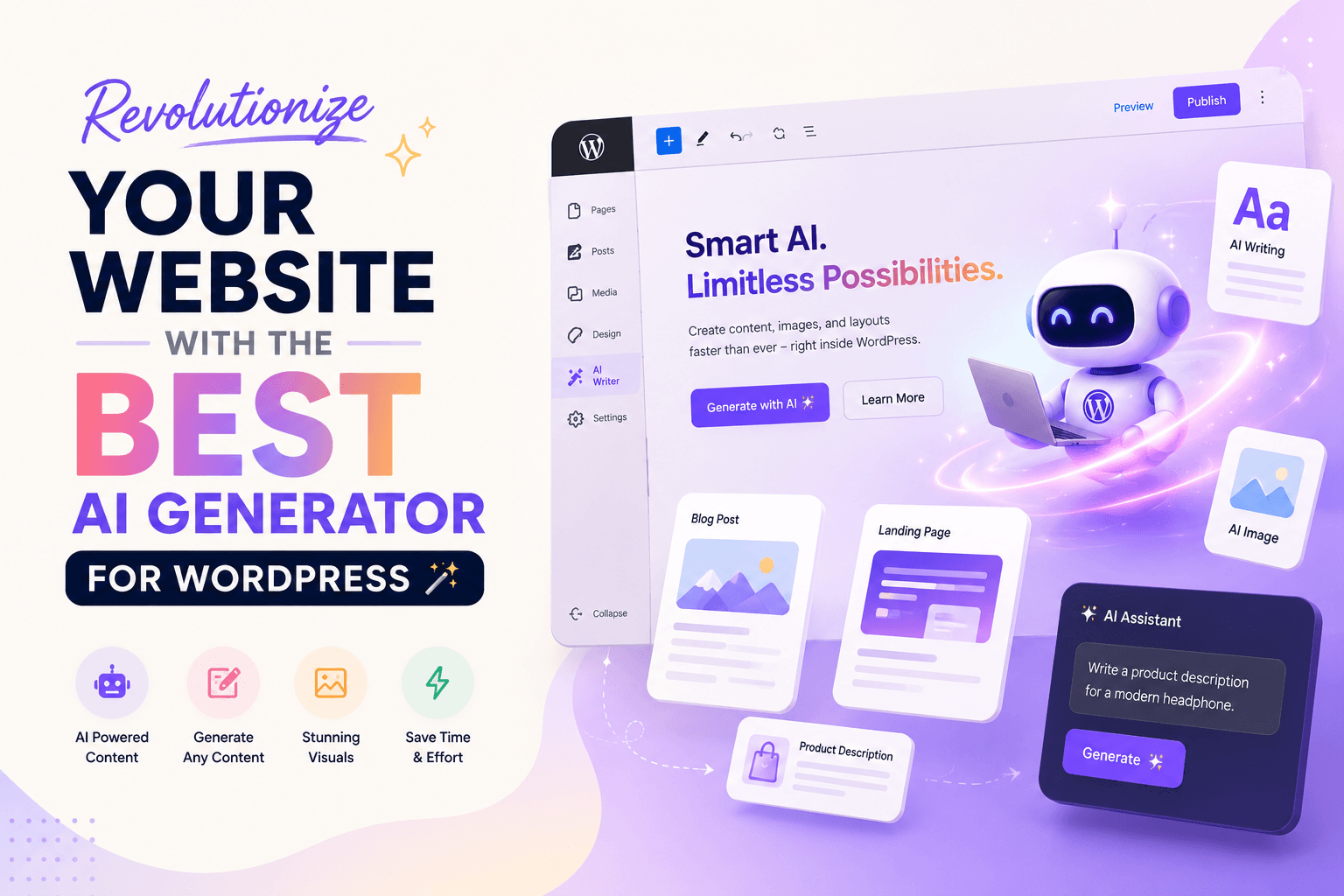
Creating high-quality content consistently is one of the biggest challenges for WordPress users today.
Whether you’re a blogger, freelancer, WooCommerce store owner, agency, or digital marketer, creating fresh blog posts, eye-catching images, landing pages, and marketing copy takes significant time and effort. Publishing regularly is essential for SEO, but maintaining a consistent content schedule can quickly become overwhelming.
The Best AI Generator for WordPress changes that.
Instead of switching between ChatGPT, image generators, copywriting tools, and page builders, you can create everything directly inside your WordPress dashboard. From blog articles and product descriptions to AI-generated images and landing pages, a modern AI Generator helps you work faster while maintaining quality.
In this guide, you’ll discover what an AI Generator for WordPress is, how it works, its biggest benefits, the features you should look for, and how it can completely transform your content creation workflow.
Table of Contents
What Is an AI Generator for WordPress?
An AI Generator for WordPress is a plugin that uses artificial intelligence to help users create high-quality content directly inside WordPress.
Instead of writing everything manually, AI assists you by generating content based on simple prompts.
Modern AI plugins can create:
- Blog posts
- Landing pages
- Product descriptions
- Marketing copy
- Headlines
- SEO titles
- Meta descriptions
- AI-generated images
- FAQs
- Email campaigns
- Social media captions
The goal isn’t to replace human creativity.
Instead, AI eliminates repetitive work so you can focus on growing your website.
Why AI Is Becoming Essential for WordPress
Content marketing has changed dramatically over the last few years.
Publishing one article every month is no longer enough to compete in search results.
Successful websites now publish consistently while maintaining quality.
That’s where AI becomes incredibly valuable.
Instead of spending five or six hours writing a single article, AI helps you produce a strong first draft within minutes.
You can then spend your time improving, editing, and adding your own expertise.
This dramatically increases productivity without sacrificing quality.
What Can an AI Generator Create?
One of the biggest advantages of AI is versatility.
A single AI Generator can replace several different content creation tools.
Blog Posts
Generate complete SEO-friendly articles based on a topic or keyword.
Examples include:
- Tutorials
- How-to guides
- Product reviews
- Buying guides
- Comparison articles
- Listicles
- News posts
Landing Pages
AI can generate complete landing page copy, including:
- Hero headlines
- Sub-headings
- Feature sections
- Benefits
- Testimonials
- Pricing copy
- Calls-to-action
- FAQs
This makes launching campaigns significantly faster.
Product Descriptions
WooCommerce store owners can instantly generate:
- Short descriptions
- Long descriptions
- Feature lists
- Benefit-focused copy
- SEO descriptions
- Product highlights
Instead of writing every product manually, AI creates optimized descriptions in seconds.
AI Images
Many modern AI plugins now include image generation.
You can create:
- Featured images
- Blog illustrations
- Website banners
- Landing page graphics
- Product visuals
- Social media images
without ever leaving WordPress.
Marketing Copy
AI also helps with promotional content.
Generate:
- Facebook Ads
- Google Ads
- Email newsletters
- Product launch copy
- Sales pages
- CTA buttons
- Headlines
- Promotional campaigns
from a simple prompt.
Why Website Owners Love AI
AI provides several major advantages.
Save Time
Writing high-quality content manually requires hours.
AI reduces drafting time dramatically.
Increase Productivity
Create more content without increasing your workload.
Whether you’re publishing one article or twenty every month, AI helps you stay consistent.
Beat Writer’s Block
Running out of ideas is common.
AI instantly generates:
- Blog ideas
- Headlines
- Outlines
- Paragraphs
- FAQs
- Conclusions
so you’re never staring at a blank page.
Improve SEO Workflow
Many AI tools help generate:
- SEO-friendly titles
- Meta descriptions
- Keyword suggestions
- Structured headings
- Internal linking ideas
While AI shouldn’t replace your SEO strategy, it significantly speeds up the process.
Lower Content Costs
Hiring writers for every article can become expensive.
AI reduces content production costs while allowing your team to focus on editing and strategy.
Who Should Use an AI Generator?
AI isn’t just for bloggers.
It’s useful for almost every WordPress user.
Bloggers
Publish more articles consistently.
Freelancers
Complete client work faster.
Agencies
Scale content production across multiple websites.
WooCommerce Stores
Generate product descriptions, promotional content, and marketing copy instantly.
Affiliate Marketers
Create buying guides, comparisons, and review articles much faster.
Small Businesses
Reduce marketing costs while publishing professional content consistently.
Essential Features to Look For
Not every AI Generator offers the same capabilities.
Choose one that includes:
- AI Writing
- AI Image Generation
- Landing Page Builder
- WooCommerce Integration
- SEO Optimization
- Custom Prompts
- Multiple Writing Tones
- One-Click Publishing
- Gutenberg Support
- Fast Performance
- Responsive Interface
- Multi-language Support
The more integrated the workflow, the more time you’ll save.
AI vs Traditional Content Creation
| Feature | AI Generator | Manual Writing |
|---|---|---|
| Speed | Excellent | Slow |
| Productivity | High | Moderate |
| Cost | Lower | Higher |
| Brainstorming | Instant | Manual |
| SEO Assistance | Built-in | Manual |
| Content Scaling | Easy | Difficult |
The best results usually come from combining AI with human editing.
Can AI Improve SEO?
Yes—when used correctly.
AI can help generate:
- Keyword-rich headings
- Better content structure
- Meta descriptions
- SEO titles
- Internal linking suggestions
- Frequently Asked Questions
However, AI-generated content should always be reviewed before publishing.
Google values content that demonstrates experience, expertise, authority, and trustworthiness (E-E-A-T). Adding your own insights, examples, and real-world knowledge helps improve both quality and search performance.
Best Practices for Using an AI Generator
Artificial intelligence is incredibly powerful, but the quality of the output depends on how you use it.
Instead of asking AI to simply “write a blog post,” provide detailed instructions that include your target audience, desired tone, keywords, and content goals.
For example, rather than writing:
Write a blog about WordPress.
Try something like:
Write a 2,000-word SEO-friendly article about the Best AI Generator for WordPress. Include practical examples, FAQs, internal linking suggestions, and a professional yet beginner-friendly tone.
The more context you provide, the better the results.
Common Mistakes to Avoid
Many beginners expect AI to publish-ready content with a single click.
That’s a mistake.
To get the best results, avoid these common issues:
Publishing Without Editing
AI can make mistakes or include outdated information.
Always review the final content before publishing.
Ignoring SEO
Even excellent AI-generated content won’t rank well if you ignore:
- Search intent
- Internal linking
- Proper heading structure
- Meta descriptions
- Image optimization
SEO still matters.
Using Generic Prompts
The prompt determines the quality.
Specific prompts consistently produce better content.
Stuffing Keywords
Adding the same keyword repeatedly doesn’t improve rankings.
Instead, naturally use related keywords throughout your article.
Forgetting Human Experience
Google rewards content that demonstrates real expertise.
Include:
- Personal insights
- Real examples
- Practical tips
- Original opinions
- Case studies
This makes your content far more valuable than AI-generated text alone.
How AI Improves SEO
A quality AI Generator for WordPress can streamline your SEO workflow in several ways.
It can help you:
- Generate keyword-focused outlines
- Write compelling meta descriptions
- Suggest optimized headings
- Create FAQ sections
- Improve readability
- Produce semantic keyword variations
- Generate SEO-friendly titles
- Organize long-form content
Instead of replacing SEO tools, AI complements your optimization process and helps you publish faster.
Real-World Use Cases
Bloggers
Instead of spending six hours writing a blog post, bloggers can create a detailed draft within minutes and focus on editing and adding personal insights.
WooCommerce Stores
Managing hundreds of products becomes much easier when AI generates optimized product descriptions, feature lists, and promotional copy.
Digital Agencies
Agencies can scale content production across multiple client websites while maintaining a consistent publishing schedule.
Freelancers
Freelancers can complete writing projects faster, allowing them to take on more clients without sacrificing quality.
Small Businesses
Business owners can create blogs, landing pages, newsletters, and promotional campaigns without hiring a full-time content team.
AI Generator vs Using Multiple Tools
Without an AI Generator, a typical workflow might look like this:
- Use ChatGPT for writing
- Switch to another AI tool for images
- Open Canva for graphics
- Use a separate SEO tool
- Return to WordPress
- Copy and paste everything manually
With an integrated AI Generator for WordPress, the entire process happens inside one dashboard.
This reduces distractions, saves time, and creates a smoother workflow.
Is AI Content Safe for Google?
Yes.
Google has repeatedly stated that it evaluates content based on quality, not whether it was written by AI or a human.
To achieve the best results:
- Verify facts before publishing.
- Add original insights and examples.
- Keep content helpful and user-focused.
- Avoid publishing unedited AI output.
- Write for people first, not search engines.
High-quality AI-assisted content that provides genuine value can perform well in search results.
Tips for Choosing the Best AI Generator for WordPress
Not every AI plugin offers the same experience.
Before choosing one, consider the following:
- Easy-to-use interface
- Fast content generation
- AI image generation
- SEO optimization features
- WooCommerce compatibility
- Gutenberg integration
- Landing page creation
- Prompt customization
- Regular updates
- Reliable customer support
Choosing a well-designed plugin saves time and improves your overall workflow.
Why Choosing the Right AI Generator Matters
Choosing the right AI Generator for WordPress can have a significant impact on your website’s productivity, content quality, and long-term growth. While many AI plugins offer similar features, not all of them provide the same level of performance, ease of use, or integration with WordPress.
A well-designed AI Generator should do more than generate text. It should help you create SEO-friendly blog posts, produce high-quality AI images, generate compelling landing pages, write persuasive product descriptions, and streamline your entire content workflow—all from a single dashboard.
When evaluating different AI solutions, look beyond the marketing claims. Consider factors such as content quality, customization options, WordPress compatibility, regular updates, customer support, and overall user experience. Investing in the Best AI Generator for WordPress today can save countless hours in the future while helping you publish better content more consistently.
Why Businesses Are Investing in AI
Artificial intelligence is no longer a technology reserved for large enterprises. Businesses of every size—from solo bloggers to growing WooCommerce stores and digital agencies—are adopting AI to improve productivity and reduce repetitive work.
Creating blog posts, marketing campaigns, landing pages, product descriptions, and social media content manually can consume valuable time every week. An AI Generator dramatically simplifies these tasks by generating high-quality drafts in minutes, allowing teams to focus on strategy, creativity, and business growth instead of repetitive writing.
For WooCommerce stores, AI speeds up product content creation. Bloggers can publish more consistently, agencies can deliver projects faster, and marketers can launch campaigns with less effort. As competition continues to increase online, using the Best AI Generator for WordPress has become a practical way to stay productive while maintaining content quality.
The Future of AI in WordPress
Artificial intelligence is transforming the WordPress ecosystem at an incredible pace. Modern AI tools already assist with writing, image generation, SEO optimization, and content planning, but future innovations will make website management even more efficient.
The next generation of AI-powered WordPress plugins is expected to deliver real-time SEO recommendations, intelligent content optimization, multilingual writing, advanced image generation, personalized content suggestions, and deeper integration with the WordPress Block Editor. These improvements will help website owners create better content with less manual effort.
Rather than replacing human creativity, the Best AI Generator for WordPress will continue to serve as a powerful assistant that handles repetitive tasks while allowing creators to focus on originality, storytelling, and business growth. Websites that embrace AI responsibly will be better positioned to publish consistently, improve user engagement, and compete effectively in search results over the coming years.
Why the Best AI Generator for WordPress Is Worth It
If you’re serious about growing your website, investing in the Best AI Generator for WordPress can save countless hours every month. Instead of switching between multiple writing, design, and SEO tools, you can manage everything from one place.
The Best AI Generator for WordPress helps bloggers publish articles faster, enables WooCommerce store owners to generate compelling product descriptions, and allows agencies to create marketing campaigns more efficiently. Whether you’re writing long-form blog posts or designing landing pages, using the Best AI Generator for WordPress improves productivity without compromising quality.
As AI technology continues to evolve, choosing the Best AI Generator for WordPress will become an essential investment for anyone looking to scale content creation, improve SEO performance, and streamline their WordPress workflow.
Frequently Asked Questions
What is the best AI Generator for WordPress?
The best AI Generator for WordPress is one that combines AI writing, image generation, SEO optimization, landing page creation, and WooCommerce support in a single, easy-to-use interface.
Can AI write complete blog posts?
Yes.
Modern AI tools can generate complete articles, outlines, introductions, conclusions, and FAQs. However, reviewing and refining the content before publishing is recommended.
Can AI generate images inside WordPress?
Yes.
Many AI-powered WordPress plugins now allow users to generate featured images, banners, illustrations, and other graphics directly within the WordPress dashboard.
Is AI useful for WooCommerce?
Absolutely.
AI can create product titles, descriptions, marketing copy, FAQs, email campaigns, and promotional content, making it an excellent tool for WooCommerce store owners.
Can beginners use AI WordPress plugins?
Yes.
Most AI plugins are designed with user-friendly interfaces, allowing beginners to generate professional content with minimal technical knowledge.
Does AI replace content writers?
No.
AI speeds up the writing process, but human creativity, experience, and editing remain essential for producing high-quality content.
Can AI help improve SEO?
Yes.
AI can generate optimized headings, keyword suggestions, meta descriptions, structured outlines, and FAQ sections that support your SEO efforts.
Is AI-generated content unique?
Most modern AI tools create original content rather than copying existing text. Even so, it’s good practice to review the output and use plagiarism-checking tools when necessary.
Can AI create landing pages?
Yes.
Many AI tools generate persuasive landing page copy, including headlines, benefits, testimonials, FAQs, and calls to action.
Is AI content suitable for business websites?
Yes.
Businesses can use AI to create blogs, product descriptions, landing pages, newsletters, social media posts, and marketing campaigns more efficiently.
Why Choosing the Right AI Generator Matters
Final Thoughts
Artificial intelligence is transforming the way WordPress websites create content.
Instead of relying on multiple tools for writing, design, and marketing, a modern AI Generator for WordPress brings everything together in one place. You can create blog posts, AI-generated images, landing pages, product descriptions, and promotional copy without leaving your WordPress dashboard.
While AI dramatically improves productivity, the best results come from combining its speed with human creativity, expertise, and careful editing. By reviewing AI-generated content, adding your own insights, and following SEO best practices, you can produce high-quality content that serves your audience and supports long-term organic growth.
Whether you’re a blogger, freelancer, agency, or WooCommerce store owner, investing in the right AI Generator can help you save time, publish more consistently, and focus on what matters most—growing your website and your business.
Conclusion
As AI technology continues to evolve, WordPress users have more opportunities than ever to streamline content creation. The right AI Generator for WordPress doesn’t just help you write faster—it helps you work smarter by bringing content writing, image generation, landing page creation, and SEO assistance into a single workflow.
If you’re looking to increase productivity without compromising quality, adopting an AI-powered workflow is one of the smartest investments you can make for your WordPress website in 2026 and beyond.
Related Articles
- Best Zapier Alternative for WordPress (2026): Powerful Automation
- How I Replaced 4 Heavy WooCommerce Plugins with a 15KB Vanilla JS Solution
- How to Reduce Cart Abandonment in WooCommerce: 11 Practical Ways That Work
Learn more about Google’s guidance on creating helpful, people-first content from Google Search Central.